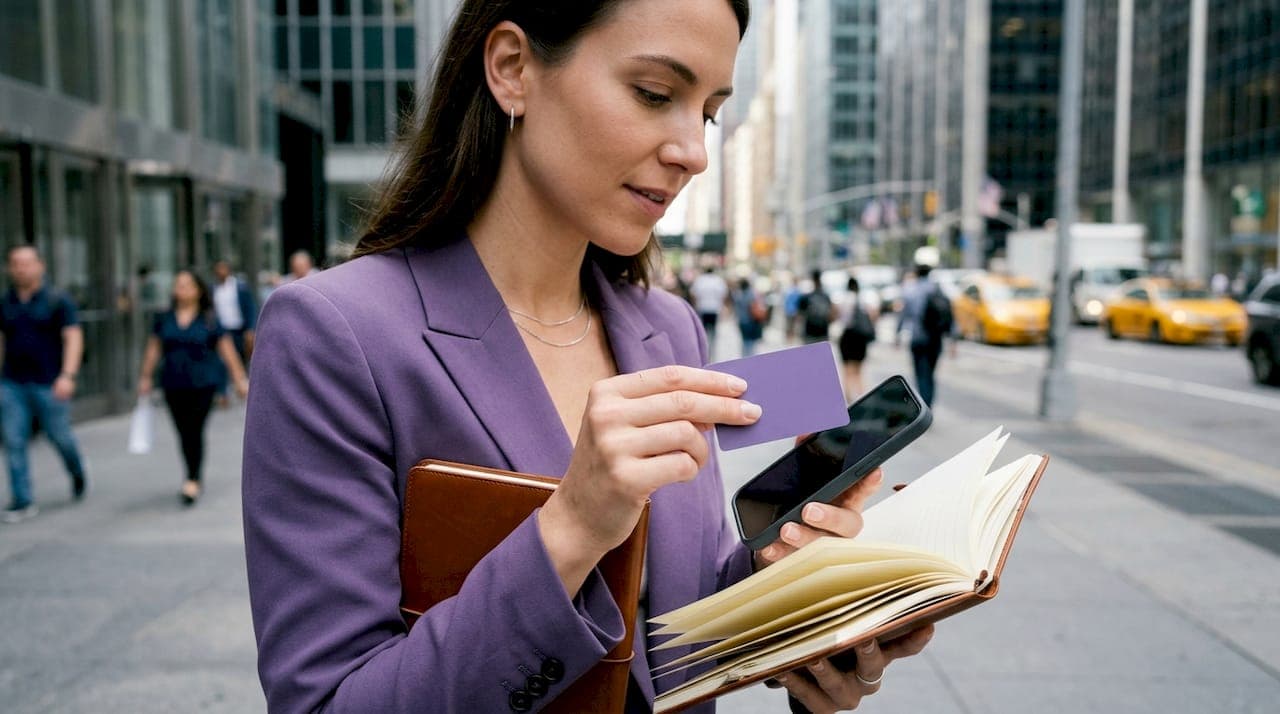
Digital contact sharing is the exchange of contact information using digital methods such as NFC, QR codes, and vCard files, replacing paper business cards and manual data entry entirely. The term covers everything from tapping two iPhones together with Apple's NameDrop to scanning a QR code that saves a full contact profile in seconds. For professionals attending conferences, freelancers building a personal brand, or anyone who wants their details to stay current, understanding how to share contacts digitally is no longer optional. It is the standard.
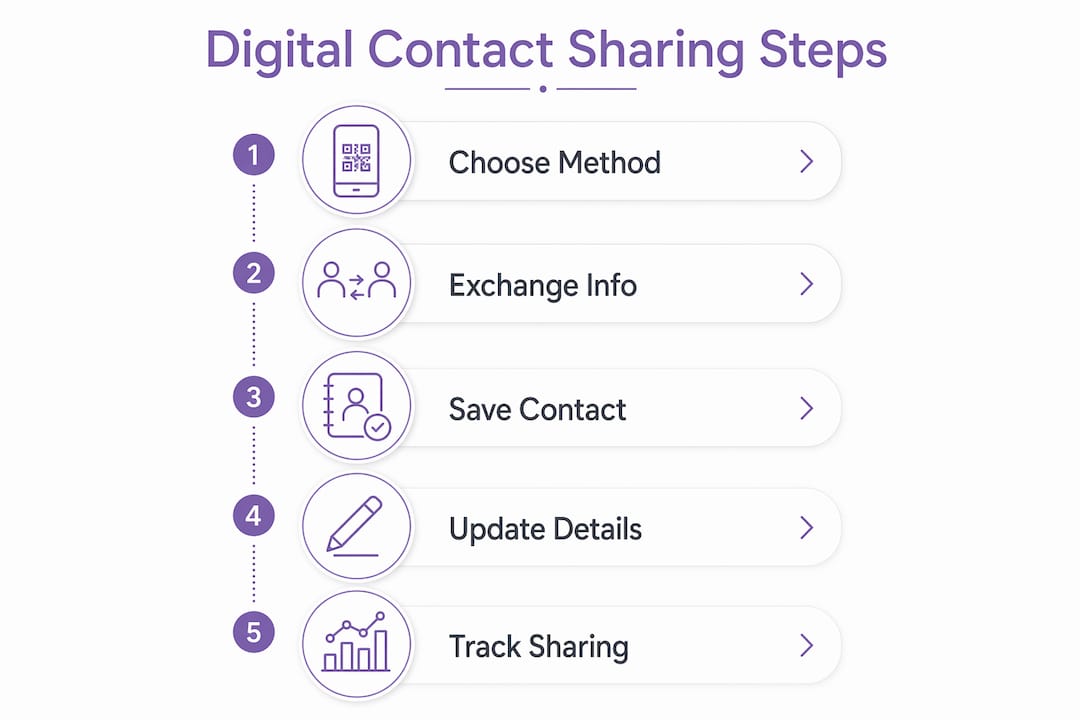
What is digital contact sharing and how does it work?
Digital contact sharing is built on three core technologies: NFC (Near Field Communication), QR codes, and the vCard file format. Each method solves the same problem differently, and knowing which to use in a given situation makes the difference between a smooth exchange and a fumbled one.

NFC contact sharing
NFC transmits data wirelessly over a distance of a few centimetres. In practice, this means tapping an NFC-enabled card or phone against another device to deliver contact details instantly. NFC business cards from platforms like Getlynko work on this principle: one tap sends a full digital profile to any smartphone, with no app required on the recipient's side. The simplicity is the point. There is nothing to scan, type, or photograph.
QR codes and vCard encoding
QR codes encoding vCard URLs enable instant contact saving without requiring app downloads. When a recipient scans the code, their phone presents a direct "Save Contact" prompt, bypassing manual input entirely. This removes the transcription errors that plague paper cards and speeds up the post-event follow-up process considerably.
The vCard (.vcf) format
The vCard (.vcf) format is the universal digital contact file, compatible with every major platform including iOS, Android, Windows, and macOS. A single .vcf file can hold multiple contacts, and devices offer to save them directly to the contacts app upon opening. You can share a vCard by email, messaging app, or a link on your website. It is the most portable format available, though it is static: once sent, it does not update automatically.
Device-to-device sharing: Apple's NameDrop
Apple's iOS 17 introduced NameDrop, which allows contact sharing by tapping iPhones together. By default, it shares your Contact Poster, name, and a chosen phone number or email. Birthdays and home addresses are excluded automatically. This privacy-first design reflects a broader shift in how OS-level sharing features are built.
Pro Tip: Print a QR code on the back of a physical card as a fallback. Recipients who prefer paper still get the digital experience when they scan it.
| Method | Compatibility | Requires app | Updateable | Best for |
|---|---|---|---|---|
| NFC card | iOS and Android | No | Yes (dynamic cards) | In-person networking |
| QR code (vCard) | All smartphones | No | No (static) | Printed materials |
| vCard (.vcf) file | All platforms | No | No (static) | Email and web sharing |
| NameDrop | iPhone to iPhone | No | No | Quick peer exchange |
How private and secure is digital contact sharing?
Privacy is the most underestimated aspect of digital contact exchange. The method you choose determines how much of your data, and your contacts' data, is exposed.
Native OS contact sharing methods such as AirDrop and vCard import provide better privacy than third-party apps that request broad address book access. Using operating system functions means no intermediary company receives your contact list. That distinction matters enormously under GDPR, which classifies contact data as personal data.
Key privacy practices for digital contact sharing:
- Share selectively. NameDrop lets users tick boxes to choose which phone numbers or emails to share at the moment of exchange. Use this feature rather than sharing everything by default.
- Use encrypted transfer channels. Exporting contacts as encrypted .vcf files and transferring them over TLS-secured channels protects personal data in transit, which aligns with GDPR requirements.
- Avoid apps that request full address book access. Many contact-sharing apps ask for permission to read your entire contacts list. This is unnecessary for a simple exchange and creates a data exposure risk.
- Choose platforms with GDPR compliance built in. Getlynko's digital profiles are GDPR-compliant by design, meaning the data you share stays under your control.
Pro Tip: Before using any contact-sharing app, check its privacy policy for the phrase "we do not sell or share your contacts." If that phrase is absent, treat the app with caution.
The organisational case for privacy-conscious sharing is equally strong. A sales team sharing client contacts through an unvetted app could inadvertently expose those contacts to third-party data brokers. Native methods and GDPR-compliant platforms eliminate that risk. You can review Getlynko's approach to data handling on their trust and security page.
How to set up digital contact sharing: a practical guide
Setting up digital contact sharing takes under ten minutes for most methods. The steps below cover the most common scenarios professionals encounter.
Setting up NameDrop on iPhone
- Update your iPhone to iOS 17 or later via Settings > General > Software Update.
- Open Settings > General > AirDrop and confirm "Bringing Devices Together" is enabled.
- Open the Contacts app and tap your own name to set up your Contact Poster. Choose a photo, name display, and colour scheme.
- At your next meeting, hold your iPhone near the other person's iPhone. A prompt appears on both screens. Tap "Share" and select which details to send.
- Both parties receive the other's chosen contact details directly into their Contacts app.
Creating and sharing a vCard via QR code
- Export your contact from your phone's Contacts app as a .vcf file (on iOS: tap your contact > Share Contact > save as a file).
- Upload the .vcf file to a hosting service or your website so it has a permanent URL.
- Use a QR code generator to encode that URL into a QR code image.
- Add the QR code to your email signature, presentation slides, or printed materials.
- When a recipient scans the code, their phone prompts them to save your contact directly.
Using an NFC business card
- Order an NFC card from a provider like Getlynko and set up your digital business card profile via the platform's dashboard.
- Add your name, job title, phone number, email, social links, and any other details you want to share.
- At a networking event, tap your card against the back of the recipient's phone.
- Their phone opens your profile in a browser. They save your contact with one tap.
- Update your profile at any time from the dashboard. Every future tap delivers the new information automatically.
Cross-platform note: Browser-based vCard sharing works regardless of the recipient's device OS. Most digital contact sharing tools do not require the recipient to download an app, which removes the single biggest friction point in professional exchanges.
What are the real benefits and challenges of digital contact sharing?
The practical advantages of digital contact exchange go well beyond convenience.
The benefits professionals actually notice
Digital business cards update instantaneously, unlike static vCard files which require re-sending to update information. A change of job title, phone number, or company takes seconds to reflect across every future interaction. Paper cards become obsolete the moment your details change. Digital profiles do not.
Analytics are a less obvious but significant benefit. Platforms like Getlynko track how many times your profile is viewed and how recipients interact with it. That data tells you which networking events generate genuine follow-up and which do not.
The branding opportunity is also real. A well-designed digital profile with your photo, company colours, and social links creates a stronger first impression than a plain white card with black text.
Common barriers and how to address them
The biggest barrier to adoption is a false belief: that recipients need a specific app to receive your contact. Browser-based vCards overcome this completely. The recipient needs only a smartphone with a camera or NFC capability, both of which are standard on every phone sold in the past decade.
Other common concerns include:
- "What if my phone dies?" Carry a printed QR code as a backup. It takes up no space and works without power.
- "Is it compatible with older phones?" QR codes work on any smartphone with a camera. vCard files open on every major OS. Compatibility is not a genuine obstacle.
- "Will people find it impersonal?" The opposite tends to be true. A tap or scan feels current and considered. It signals that you take your professional presence seriously.
The professionals who resist digital contact sharing are usually those who have not tried it in a real networking context. One use at a conference is typically enough to convert the sceptics.
Key takeaways
Digital contact sharing is the most reliable way to ensure your professional details reach people accurately, stay current, and reflect your personal brand.
| Point | Details |
|---|---|
| Three core methods | NFC, QR codes, and vCard files each suit different contexts; NFC cards are best for in-person events. |
| No app required | Browser-based vCard sharing and NFC profiles work on any smartphone without a download. |
| Privacy by design | Native OS methods and GDPR-compliant platforms keep your contact data out of third-party hands. |
| Dynamic beats static | NFC-linked digital profiles update in real time; static .vcf files require re-sending after any change. |
| Adoption barrier is a myth | The belief that recipients need a special app is the main obstacle, and it is simply not true. |
Why I think most professionals are still doing this wrong
I have watched professionals at networking events spend two minutes fumbling with phones, trying to get an app to work, while the conversation dies around them. The irony is that the technology to make contact sharing instant and frictionless has existed for years. The problem is not the tools. It is the assumptions people carry into the room.
The most common mistake I see is over-engineering the setup. People build elaborate contact-sharing workflows with multiple apps, cloud syncs, and custom landing pages, then abandon the whole thing when one element breaks. The professionals who share contacts most effectively use one method consistently. Usually it is an NFC card or a QR code in their email signature. Simple, reliable, always ready.
The privacy angle is also underappreciated. I have seen teams hand over their entire contact lists to third-party apps without a second thought, purely because the interface looked polished. Native OS features and GDPR-compliant platforms are not just safer. They are better products, because they are built around the user's control rather than the platform's data appetite.
My recommendation is straightforward. Pick one method that works across the devices your contacts are likely to carry. Test it before you need it. And update your profile the moment your details change, because a stale contact is worse than no contact at all. The technology is ready. The only thing left is the decision to use it properly.
— Olivier
How Getlynko makes digital contact sharing effortless
Getlynko's NFC business cards are built for exactly the kind of professional networking this article describes. One tap delivers your full digital profile to any smartphone, with no app needed on the recipient's side. Your profile includes unlimited social links, a contact-saving button, and real-time analytics so you can see who engaged with your details after an event.
Getlynko cards are GDPR-compliant and update instantly from your dashboard. Change your job title, phone number, or profile photo once, and every future tap reflects the update. For professionals who want their contact sharing to work as well as their pitch, Getlynko's smart business cards are worth a look.
FAQ
What is digital contact sharing?
Digital contact sharing is the exchange of contact information using digital methods such as NFC, QR codes, or vCard files, replacing paper business cards and manual data entry.
Do recipients need an app to receive a digital contact?
No. Browser-based vCard sharing and NFC-linked profiles work on any smartphone without requiring the recipient to download an app.
Is digital contact sharing secure?
Native OS methods like AirDrop and vCard import are more private than third-party apps, as they avoid exposing your address book to intermediaries. GDPR-compliant platforms add a further layer of data protection.
What is a vCard file?
A vCard (.vcf) is the universal digital contact file format, compatible with iOS, Android, Windows, and macOS. Devices offer to save it directly to the contacts app when the file is opened.
How does NameDrop work on iPhone?
NameDrop, introduced in iOS 17, lets two iPhone users exchange contact details by holding their phones close together. Users choose which phone number or email to share at the moment of exchange, and sensitive fields like home addresses are excluded by default.