
NFC card property sharing is defined as the practice of embedding a digital property profile into a Near Field Communication card so that a single tap delivers listings, photos, virtual tours, and lead capture forms directly to a prospect's smartphone. Real estate professionals who adopt this method replace static paper cards with a living digital profile that updates in real time. Platforms like Lynko make the setup straightforward, requiring no app on the recipient's device. The result is faster lead capture, stronger first impressions, and a measurable uplift in buyer engagement at every touchpoint from open houses to investor meetings.
What do you need to share property listings via NFC card?
Three things are required before you can share property listings via NFC card: an NFC-enabled card, a digital profile platform, and a static URL that points to your listing content.
NFC-enabled hardware is the starting point. Most smartphones manufactured after 2018 read NFC tags natively on both Android and iOS. The card itself contains a small chip that stores a URL. When a prospect taps their phone to the card, the chip triggers the URL and opens your digital profile instantly.
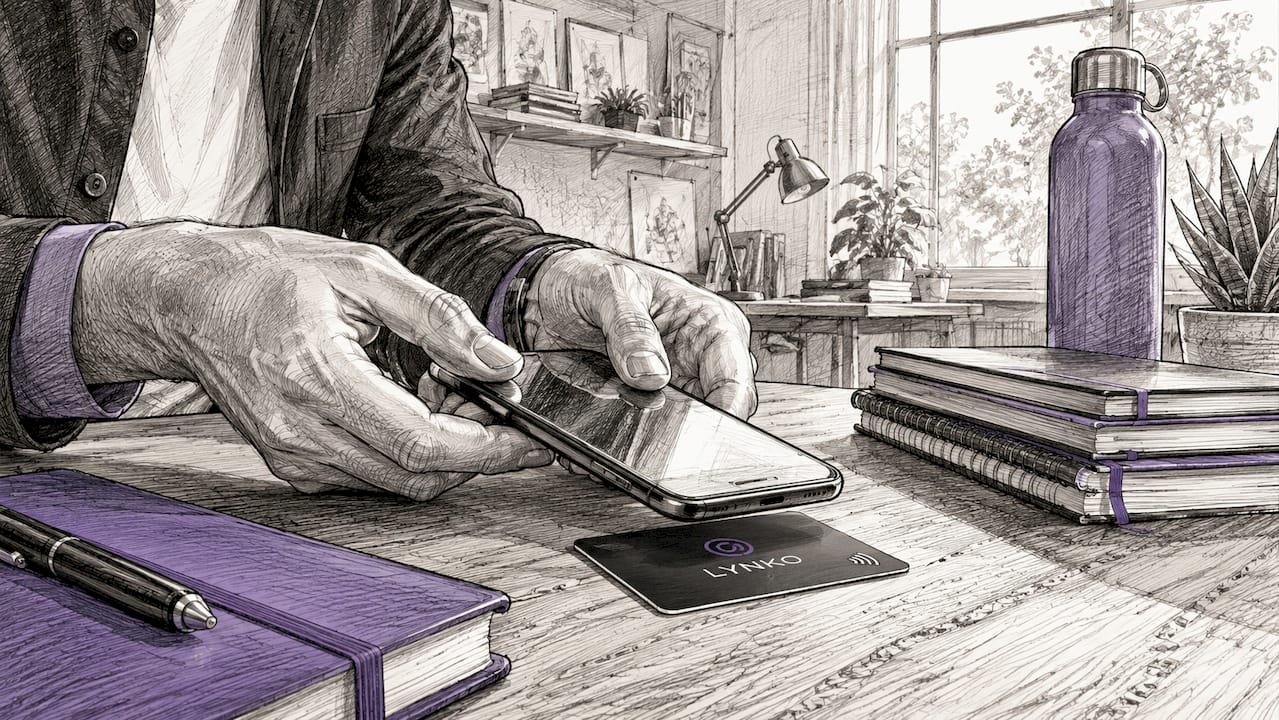
A digital business card platform hosts the profile the URL points to. The platform must support real estate-specific content: property photos, virtual tours, embedded video, and lead capture forms that convert viewers into contacts. Lynko provides customisable modules and themes built for professional branding, so agents can present listings alongside their contact details, Google reviews, and social links in one place.
A static profile URL is non-negotiable. Static URLs allow you to update listing content without reprinting or reissuing cards. If you sell a property and add a new one, the URL stays the same and the profile refreshes. This protects your investment in printed or engraved cards.
The table below summarises the core requirements:
| Requirement | Why it matters | Example |
|---|---|---|
| NFC-enabled card | Triggers the digital profile on tap | Lynko NFC card |
| Hosted digital profile | Displays listings, tours, and contact info | Lynko digital profile |
| Static profile URL | Allows listing updates without new cards | Permanent vanity URL |
| QR code fallback | Covers phones with NFC disabled | Printed QR on card reverse |
| Lead capture form | Converts viewers into contacts | Embedded enquiry form |
- Choose a platform that supports real estate content modules, not just contact details.
- Confirm the platform is GDPR-compliant if you operate in the UK or EU.
- Test the card on both Android and iOS before distributing it.
- Verify that your profile URL loads in under three seconds on a mobile connection.
Pro Tip: Order a single test card before committing to a bulk run. Tap it on five different phones, including older Android models, to confirm compatibility across devices.
How to create and link digital property listings to your NFC card
Digital business cards enable agents to instantly share contact details, property listings, and virtual tours with a single tap or scan. The creation process has five clear steps, and getting each one right determines how effectively your card converts a tap into a lead.
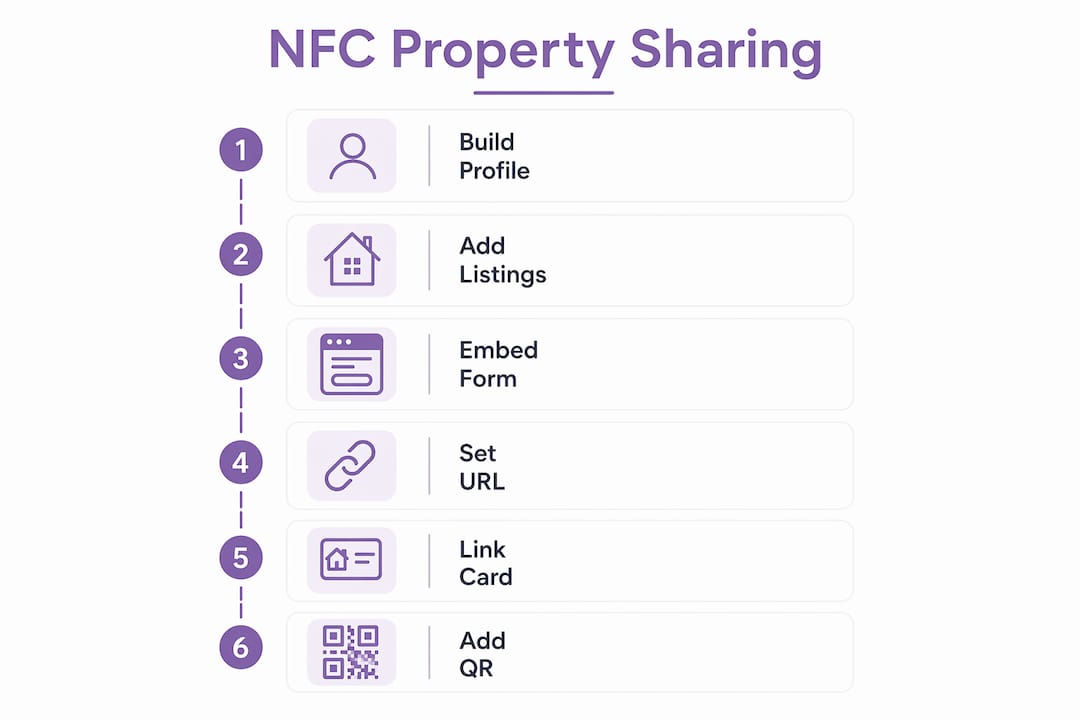
Step 1: Build your digital profile. Sign up with a platform like Lynko and complete your professional profile. Add a high-quality photo, your agency name, phone number, email, and a short biography. Profiles featuring clear images and client testimonials increase buyer confidence and willingness to engage, so include at least two or three recent reviews.
Step 2: Add your property portfolio. Upload photos, floor plans, and key details for each active listing. Where possible, embed a virtual tour link. Listings with immersive digital experiences see up to 75% more views and shares compared to static photos alone. That figure reflects a straightforward truth: buyers engage longer when they can explore a property rather than just view it.
Step 3: Embed a lead capture form. Place a short enquiry form on your profile. Ask for name, email, and the property the prospect is interested in. Lead capture forms embedded in digital cards convert more viewers into actionable contacts when paired with NFC sharing, particularly at open houses where interest is highest.
Step 4: Set your static vanity URL. Assign a permanent URL to your profile, such as getlynko.com/yourname. This URL is what the NFC chip stores. Because it never changes, every card you distribute will always point to your current listings.
Step 5: Link the URL to your NFC card. Use your platform's card-linking tool to write the URL to the chip. With Lynko, this is handled during the order process. Once written, the chip is read-only, so the URL is permanent and tamper-proof.
Step 6: Add a QR code to the card. Print or engrave a QR code on the reverse of the card. Many smartphones still have NFC switched off by default, and a QR code ensures no prospect is left unable to access your profile.
Pro Tip: Use a platform that supports AI-powered chat or instant contact features inside the listing. AI-powered listings that enable immediate agent contact within the digital experience improve buyer engagement and decision-making, turning passive browsing into a live conversation.
Best practices for sharing property listings at open houses and events
The physical act of sharing an NFC card is as important as the digital content behind it. A poorly timed or awkward handover undermines the technology's impact.
At open houses
Position yourself near the entrance so you can offer the card as visitors arrive, not as they leave. Say something direct: "Tap this card to see the full listing, floor plan, and virtual tour on your phone." This sets the expectation and removes hesitation. NFC-enabled cards accelerate follow-ups by eliminating manual typing, so the contact is saved the moment the prospect taps, not hours later when they have forgotten your name.
At networking events and investor meetings
Investors respond well to efficiency. Tapping a card and seeing a curated portfolio of listings in seconds signals that you are organised and technology-forward. Pair the tap with a brief verbal summary of your top listing. The card handles the detail; you handle the relationship.
- Always demonstrate the tap yourself first. Hold the card to your own phone so the prospect sees exactly what will happen.
- Keep your profile updated before every event. A listing that sold last week should not be the first thing a new contact sees.
- Follow up within 24 hours using the contact details captured by your lead form.
- Carry a printed QR backup sheet for venues with poor mobile signal.
The table below maps sharing methods to the right context:
| Context | Best sharing method | Key action |
|---|---|---|
| Open house | NFC tap at entrance | Capture lead via embedded form |
| Investor meeting | NFC tap plus verbal summary | Direct to portfolio section |
| Networking event | NFC tap or QR scan | Encourage contact saving |
| Property viewing | NFC tap at property | Share floor plan and tour link |
| Cold introduction | QR code fallback | Ensure access regardless of NFC status |
Pro Tip: Integrate your digital card platform with your CRM. When a prospect saves your contact or submits a lead form, the data should flow directly into your pipeline without manual entry. This is where NFC for realtor networking pays its biggest dividend.
How do you troubleshoot NFC card sharing problems?
NFC card sharing fails for three predictable reasons: NFC is disabled on the recipient's phone, the profile URL is broken or slow, or the card chip has been damaged.
NFC disabled on the recipient's device is the most common issue. Android users can enable NFC in Settings under Connected Devices or Wireless. iPhone users running iOS 14 or later have background NFC reading enabled by default, but older models require the user to open the Control Centre first. Always have a QR code on the reverse of your card. QR codes ensure uninterrupted connection when NFC is unavailable, and most prospects can scan a QR code without any settings change.
- Test your card on a fresh device before every major event.
- Keep a screenshot of your profile QR code on your phone as a last resort.
- Check your profile URL loads correctly after any listing update.
- If a chip stops responding, contact your card provider. Lynko cards are built to withstand normal professional use, but physical damage to the chip area will disable the NFC function.
Outdated listing information is a credibility risk. Use your static profile URL to update listings immediately after a sale or price change. Never let a prospect tap through to a sold property with no explanation.
"Always prioritise NFC cards with QR code fallback and use static profile URLs that allow listing updates without reissuing cards. This protects your marketing materials and keeps every tap relevant."
Pro Tip: Run a monthly audit of your digital profile. Check every listing link, confirm the lead form submits correctly, and review your analytics to see which properties attract the most tap-through views. Platforms like Lynko provide real-time card analytics so you can act on this data without guesswork.
Key takeaways
NFC card property sharing works because it combines instant digital delivery, live profile updates, and lead capture into a single physical touchpoint that requires no app from the recipient.
| Point | Details |
|---|---|
| Static URL is critical | Use a permanent profile URL so listing updates never require a new card. |
| QR fallback is non-negotiable | Always include a QR code to cover devices with NFC disabled. |
| Lead capture drives ROI | Embed an enquiry form so every tap has the potential to become a contact. |
| Profile quality matters | Include photos, reviews, and virtual tours to maximise engagement after the tap. |
| Test before every event | Verify NFC and QR functions on multiple devices before open houses or meetings. |
Why I think most agents are still missing the point with NFC cards
The conversation around NFC cards in real estate tends to focus on the technology itself. Agents ask which card to buy, which chip is most compatible, which platform has the best design. Those are reasonable questions, but they miss the more important one: what happens in the ten seconds after the tap?
I have watched agents hand out NFC cards at open houses only to send prospects to a profile with one blurry photo and no contact form. The tap worked perfectly. The experience that followed did not. The technology is only as good as the content it delivers, and most agents underinvest in that content.
The shift from paper to NFC digital cards is really a shift toward what the industry calls "digital curb appeal." A prospect who taps your card and lands on a polished profile with a virtual tour, client reviews, and a simple enquiry form is far more likely to follow up than one who receives a paper card and has to type your details manually. Approximately 60,000 real estate professionals in the US already use AI-powered interactive listing platforms integrated via MLS services. That number tells you the direction the market is heading.
My advice is to treat your NFC card as a landing page, not a business card. Spend as much time on the profile as you would on a property brochure. Update it before every event. Review your analytics weekly. The card is just the door. What is behind it is what closes the deal.
— Olivier
Lynko NFC cards for real estate professionals
Real estate agents and investors who want to share listings instantly will find Lynko's NFC business cards built for exactly this purpose. Each card links to a fully customisable digital profile that supports property photos, virtual tours, lead capture forms, Google reviews, and unlimited social links. The profile updates in real time via a static URL, so your card stays relevant through every sale and new instruction.
Setup takes minutes. Lynko's cards include a QR code fallback, require no app from the recipient, and are fully GDPR-compliant for UK and EU use. Whether you are working an open house, meeting an investor, or following up after a viewing, a Lynko card ensures every tap delivers a professional, complete, and current property experience. Explore Lynko's digital card options to find the right fit for your practice.
FAQ
What is NFC card property sharing?
NFC card property sharing is the practice of using a Near Field Communication card to deliver a digital property profile, including listings, photos, and contact details, to a prospect's smartphone with a single tap.
Do recipients need an app to view the property listing?
No. NFC cards open a web-based profile in the phone's browser. Recipients need no app, account, or download to access the listing content.
What happens if a prospect's phone does not support NFC?
A QR code printed on the card provides a direct fallback. QR codes cover devices with NFC disabled and require only a standard camera app to scan.
How do I update my listings without reprinting my NFC card?
Use a static profile URL hosted on your digital card platform. Updating the profile content at that URL refreshes what every existing card delivers, with no need to reissue physical cards.
Can I track who has tapped my NFC card?
Most professional NFC card platforms, including Lynko, provide analytics showing tap counts, profile views, and form submissions, giving you a clear picture of which events and contacts generate the most interest.