
Your email signature should carry one link and one clear call to action. Make it: "Save my contact" or "View my card" pointing to your digital business-card profile URL. That single change turns every email you send into a networking touchpoint.
Quick example you can paste now:
- CTA text: Save my contact
- Link:
https://yourname.getlynko.com(or your vanity URL) - Placement: Below your job title, above any social icons
The link can point to an NFC-enabled digital profile that recipients also reach by tapping your physical card, or to a vanity URL that redirects to a hosted vCard page. Either way, one link, one action.
Table of Contents
- How do you add a digital business card link to Gmail, Outlook, and Apple Mail?
- Which signature elements actually convert?
- How do you create a shareable digital business-card URL?
- How do NFC cards and email signatures work together?
- What does an NFC business card cost and how long does setup take?
- What do UK professionals need to check for GDPR compliance?
- Key takeaways
- Why the NFC-plus-signature workflow is the one worth committing to
- Lynko NFC cards: a ready solution for UK professionals
- Useful sources and further reading
How do you add a digital business card link to Gmail, Outlook, and Apple Mail?
Start by copying your shareable profile URL. A short, branded vanity link is better than a raw string of characters. Recipients can read it, type it, and trust it.
Gmail (web)
- Open Settings → See all settings → General → Signature.
- Create or edit your signature block.
- Type your CTA text ("Save my contact"), select it, and click the link icon.
- Paste your digital-card URL and save.
- To add a headshot or card image as a clickable link: insert the image, click it, then use the link icon to wrap it in your URL.
Outlook (desktop and Outlook.com)
- Desktop: File → Options → Mail → Signatures. Create a new signature, type your CTA, select it, and click the hyperlink button (Ctrl+K).
- Outlook.com: Settings → View all Outlook settings → Compose and reply → Email signature. The same select-and-link approach applies.
- For a styled button effect, paste an HTML snippet directly into an HTML-capable editor. A simple anchor tag with inline padding renders as a button in most clients.
Apple Mail
- Mail → Settings → Signatures. Select your account, click the + button, and type your signature.
- Highlight your CTA text, then go to Edit → Add Link and paste your URL.
- Test on macOS first, then forward the message to yourself and open it on an iPhone to confirm the link is tappable.
Testing checklist before you roll out
- Send to an Android device: tap the link, confirm the profile opens and the "Save contact" button works.
- Send to an iPhone: verify the link opens in Safari and the vCard download or contact-save prompt appears.
- Open the email in plain-text mode: confirm the URL is readable even without HTML rendering.
- Check that any UTM or tracking parameters survive the email client's link handling.
- If your domain uses DMARC records, confirm signature links are not being stripped or flagged. A managed DMARC deliverability service can catch these issues before they affect recipients.
Which signature elements actually convert?

A high-converting signature centres on one primary goal paired with a small professional headshot. Everything else is supporting detail. The single-CTA approach consistently outperforms signatures that scatter attention across multiple links and badges.
Include these:
- Full name and clear job title
- One professional headshot (keep it under 80px wide so it does not dominate)
- One CTA linked to your digital card ("Save my contact" or "View my card")
- Phone number or calendar booking link (optional, one only)
- Two or three social icons maximum
- Your vanity URL in plain text below the CTA, for recipients who cannot click
Leave these out:
- Multiple CTAs competing for attention
- Long raw URLs that break across lines
- Excessive legal disclaimers in the main footer (move them to a separate line in a smaller font)
- Animated GIFs or large banner images that trigger spam filters
Sample signature block (plain text):
Jane Smith
Head of Partnerships, Acme Ltd
 07700 900 123
Save my contact → jane.acme.com
Minimal HTML snippet:
<p style="font-family:Arial,sans-serif;font-size:14px;color:#333;">
  <strong>Jane Smith</strong><br>
  Head of Partnerships, Acme Ltd<br>
  <a href="https://jane.acme.com" style="color:#6B21A8;">Save my contact</a>
</p>
Adapt the colour hex to match your brand palette. Purple (#6B21A8) works well for Lynko-hosted profiles.
How do you create a shareable digital business-card URL?
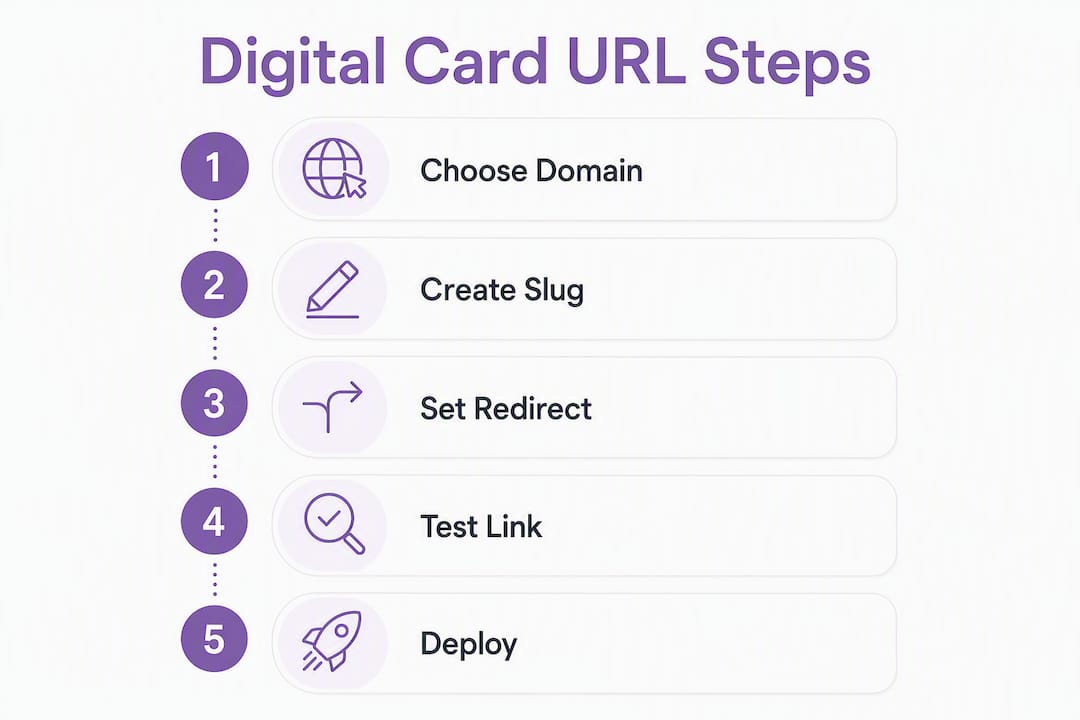
Three practical routes exist, and the right one depends on how much control you want over branding.
Profile checklist: fields to include
- Full name and job title
- Phone number and email address
- Website URL
- Social profile links (LinkedIn, Instagram, or whichever are relevant)
- One-line bio (under 20 words)
- Professional photo
- vCard download button
Your three URL options
A provider-hosted profile gives you the fastest path. Platforms like Lynko generate a profile URL the moment you set up your card. The URL is live, mobile-optimised, and backed by analytics. A vCard URL converter produces a hosted contact page with a shareable link and a one-tap "Save contact" option, suitable for signatures and QR codes. A OneLink-style page lets you surface contact details, booking links, and social profiles behind a single URL, and it is QR-ready for printed materials too.
Device compatibility checks
- Android: confirm NFC tap opens the profile and the "Add to contacts" prompt appears.
- iOS Safari: verify the vCard download or contact-save flow works without requiring an app.
- Desktop: confirm the "Save to address book" option is visible and functional.
Pro Tip: Use a vanity subdomain on a domain you own, for example go.yourbrand.com, rather than a generic shortener. Configure the DNS record your link platform provides, let it issue the TLS certificate, and your links serve over HTTPS. Recipients see a trustworthy address they can type from memory, and you keep full control if you ever switch providers.
Branded vanity URLs use a two-part structure: a branded domain or subdomain plus a human-readable slug. That combination builds trust in situations where links must be spoken aloud or typed manually.
How do NFC cards and email signatures work together?
The workflow is straightforward. A recipient taps your NFC card and lands on your digital profile. Later, they receive an email from you and the signature link points to the exact same profile. One consistent destination, two entry points.
Most modern Android phones support NFC tap-to-open without any app. iPhones running iOS 13 or later can read NFC tags, though behaviour varies: newer models open the profile automatically, while some older iOS versions require the user to tap a notification or open Safari manually. Neither scenario requires the recipient to install anything, which matters when you are networking with people who are cautious about downloading unfamiliar apps.
Integration checks to run before launch:
- Confirm the NFC card URL and the email signature link resolve to the same canonical profile page.
- Test a printed QR code as a fallback for environments where NFC is blocked (some conference venues disable it).
- Verify that no app download is required on either Android or iOS.
- Check that your analytics platform counts NFC taps and email-link clicks separately so you can attribute leads by channel. Tracking them together obscures which touchpoint is actually driving conversions.
The contactless sharing workflow also means your profile stays current after the card is printed. Update your phone number or add a new booking link on the dashboard, and every tap and every email click reaches the updated version instantly.
What does an NFC business card cost and how long does setup take?
UK professionals typically encounter three cost elements: the one-off card purchase, an optional premium profile subscription for advanced modules, and any vanity domain or DNS costs. Design or engraving fees apply if you want a custom finish.
Setup follows a predictable timeline. Card production and delivery usually takes a few days to two weeks depending on the finish you choose. Profile setup and vanity domain configuration takes a few hours; DNS propagation can take up to 48 hours. Team roll-outs add time for aligning vanity slugs and ensuring a single analytics tag covers all profiles.
Provider selection checklist:
- GDPR-compliant profile management and data hosting
- App-free tap-to-share for recipients
- Real-time analytics with separate NFC and click tracking
- Custom domain or vanity URL support
- Profile modules (booking links, payment links, portfolio, video intro, PDF uploads)
- UK availability and responsive customer support
Lynko's NFC business cards meet all of those criteria. App-free tap-to-share, real-time analytics, unlimited social links, Google Reviews integration, and GDPR-compliant profile management are all included, with no app required for recipients.
What do UK professionals need to check for GDPR compliance?
Sharing your own contact details in a signature is low-risk, but the moment your digital profile collects data from visitors, such as via a contact form, booking request, or lead-capture widget, UK GDPR obligations apply.
Compliance checklist:
- Confirm a lawful basis for processing any data your profile collects (legitimate interest covers most business-contact scenarios).
- Add a brief privacy notice on your profile page if you collect messages, bookings, or enquiries.
- Verify your provider uses HTTPS and secure hosting for all profile data.
- Check that your provider supports data export and deletion requests so you can respond to subject-access requests promptly.
- Confirm where analytics data is stored and whether it involves third-country transfers.
For definitive guidance, consult the Information Commissioner's Office and the relevant gov.uk data protection pages. Lynko's smart business-card platform advertises GDPR-compliant profile management, which covers the profile-hosting side of the equation.
Key takeaways
A digital business-card link in your email signature works best as a single, prominent CTA pointing to one consistent, GDPR-compliant profile that your NFC card also resolves to.
| Point | Details |
|---|---|
| One CTA, one link | Use "Save my contact" or "View my card" as the sole CTA; multiple links split attention and reduce clicks. |
| Test on both platforms | Send your signature to an Android and an iPhone before rolling out; vCard save behaviour differs between them. |
| Vanity URL builds trust | A branded subdomain (go.yourbrand.com) is more trustworthy and easier to type than a generic shortener. |
| NFC and signature share one profile | Keep the NFC card URL and signature link pointing to the same canonical page so analytics and contact data stay consistent. |
| Lynko as a ready solution | Lynko provides app-free NFC cards, real-time analytics, GDPR-compliant profiles, and custom branding for UK professionals. |
Why the NFC-plus-signature workflow is the one worth committing to
The conventional advice is to treat your email signature as a digital business card. That framing undersells what is actually possible. The smarter move is to treat your digital profile as the single source of truth for your professional identity, and then make sure every channel, your NFC card, your email signature, your QR code, your social bio, points to it.
What most professionals miss is the attribution gap. They add a link to their signature and assume it is working. Without separate tracking for NFC taps and email clicks, you genuinely cannot tell whether a new contact came from a conference handshake or a cold email follow-up. That distinction shapes how you invest your networking time.
The app-free requirement is also more important than it sounds. Asking a new contact to download an app to save your details introduces friction at exactly the wrong moment. The workflow described here eliminates that entirely. Tap, click, or scan: the profile opens in a browser, the contact saves in one tap, and you never had to ask for anything.
A quick test worth running today: send your updated signature to a colleague and ask them to save your contact on both an Android and an iPhone. If it works cleanly on both, you are ready to roll out.
Lynko NFC cards: a ready solution for UK professionals
Every email you send is a chance to hand someone your contact details without the awkwardness of asking. Lynko makes that happen without requiring your recipient to download anything. Tap the card, click the signature link, or scan the QR code: all three routes open the same branded profile, where contacts can save your details, book a call, browse your portfolio, or leave a Google review.
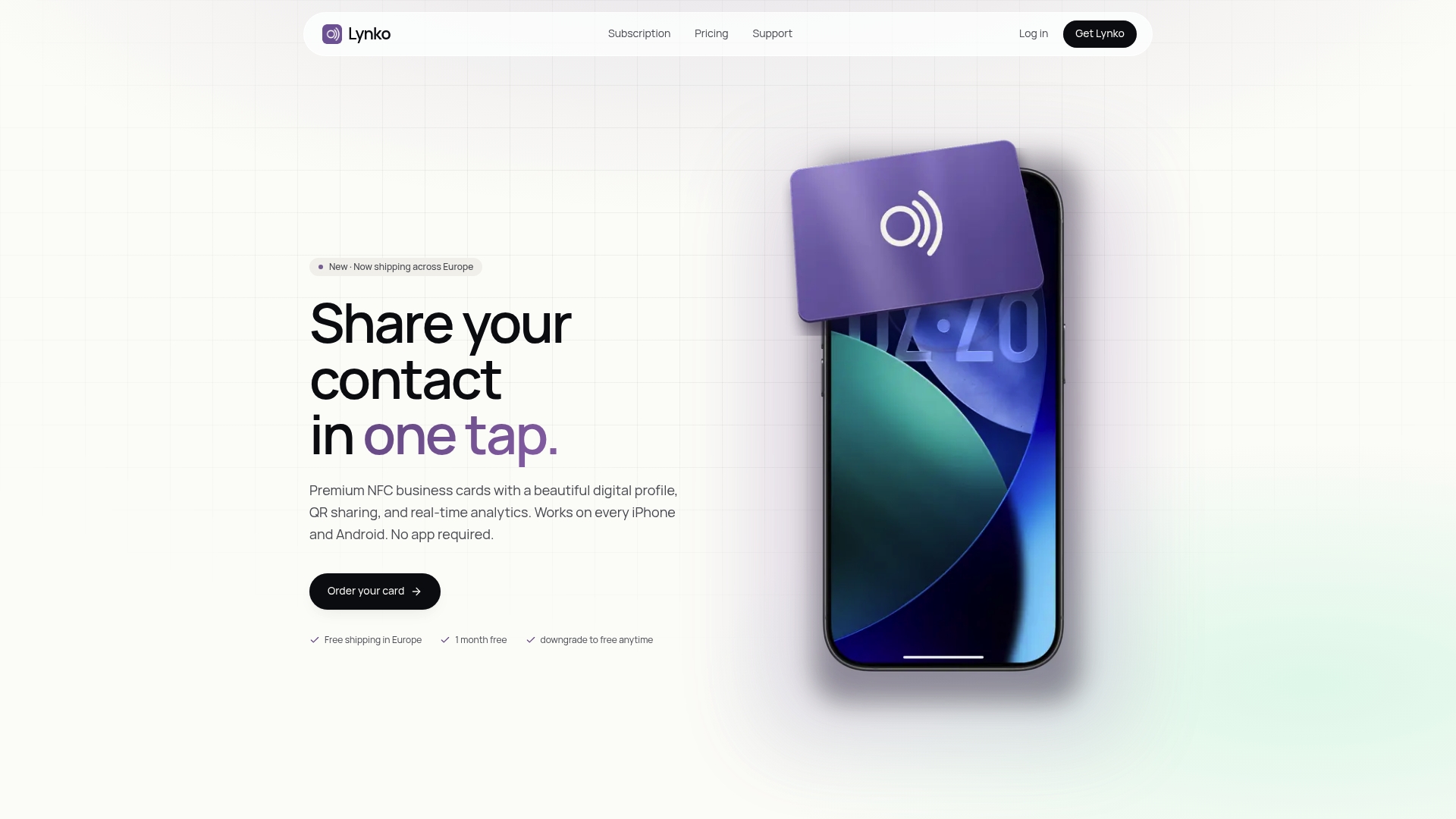
The profile is fully customisable with modules for booking links, payment links, video intros, PDF brochures, and unlimited social links. Real-time analytics show you exactly how many taps and clicks each channel generates. Setup takes hours, not weeks, and GDPR-compliant data management is built in from the start.
View Lynko NFC cards for UK professionals and see which card finish and profile plan fits your brand.
Useful sources and further reading
- Lynko NFC business cards UK — product features, pricing, and UK availability
- Lynko smart business cards — profile modules, GDPR compliance, and analytics detail
- Why startups use digital cards — CTA strategy and networking ROI
- Benefits of contactless business cards — tap-to-share mechanics and app-free sharing
- Contact sharing best practices for UK professionals — privacy and testing guidance
- Digital card design best practices — mobile-first design and profile layout
- ICO — Information Commissioner's Office — definitive UK GDPR guidance
- gov.uk data protection — UK data protection law and your obligations
- SealedMail DMARC guidance — email deliverability and signature reliability