
Lynko is the recommended pick for most UK professionals: it combines NFC tap-to-share hardware with a GDPR-compliant web profile and real-time analytics, and the recipient needs no app to receive your details. If that combination fits your workflow, you can stop reading here. If you need a free-first option, a team platform, or a pure QR/link approach, the shortlist below maps each category to the right tool.
Quick picks:
- Best overall: Lynko (NFC + analytics + GDPR-aware profile)
- Best free plan: HiHello or Blinq (generous free tiers, fast onboarding)
- Best for teams: Mobilo or Popl (admin dashboards, bulk provisioning)
- Best for NFC hardware: Lynko, V1CE, or Dot (physical card + managed profile)
- Best QR/link-first: Blinq or Wave Connect (instant setup, no hardware needed)
When to pick Lynko: you meet clients face to face, want app-free receiving, and need analytics to see who engaged with your profile. When to pick a link-first app: you need a card live in two minutes and hardware is not a priority. When to pick a team platform: you manage more than five people and need centralised provisioning and brand templates.
| Product | Best for | Free plan | Sharing methods | Analytics | NFC hardware | GDPR / privacy | Platform |
|---|---|---|---|---|---|---|---|
| Lynko | Face-to-face professionals, UK SMEs | Freemium | NFC, QR, link | Real-time, rich | Yes (physical card) | GDPR-compliant | Web, iOS, Android |
| V1CE | Premium hardware buyers | No | NFC, QR, link | Basic | Yes | GDPR stated | Web, iOS, Android |
| Blinq | Fast setup, freelancers | Yes | QR, link, NFC (add-on) | Basic (paid) | Add-on | GDPR stated | iOS, Android |
| HiHello | Free-first individuals | Yes (generous) | QR, link, vCard | Limited (free) | No | GDPR stated | iOS, Android, web |
| Mobilo | Sales teams, enterprise | No | NFC, QR, link | Team analytics | Yes | GDPR stated | iOS, Android, web |
| Wave Connect | SMB teams, events | Yes | QR, link | Basic | No | GDPR stated | iOS, Android |
| Popl | Teams, field sales | Yes (limited) | NFC, QR, link | Team analytics | Yes | GDPR stated | iOS, Android |
| Uniqode | QR-centric businesses | Yes | QR, link | Advanced | No | GDPR stated | Web, iOS, Android |
| Dot | NFC hardware focus | No | NFC, QR, link | Basic | Yes | GDPR stated | iOS, Android |
| Ovou | Hardware + profile | No | NFC, QR, link | Basic | Yes | GDPR stated | iOS, Android |
| Canva | Design-led creatives | Yes | Link, QR | None | No | GDPR stated | Web, iOS, Android |
| Linq | Lifestyle/creator profiles | Yes (limited) | NFC, QR, link | Basic | Yes (add-on) | GDPR stated | iOS, Android |
| Tapni | Teams, NFC | No | NFC, QR, link | Team analytics | Yes | GDPR stated | iOS, Android |
| Haystack | Freelancers, individuals | Yes | QR, link, email | Basic | No | GDPR stated | iOS, Android |
| CamCard | Card scanning, CRM | Yes (limited) | Scan, vCard | Basic | No | GDPR stated | iOS, Android |
| Vistaprint | Print + digital bundle | No | QR, link | None | No | GDPR stated | Web |
| Moo | Premium print + digital | No | QR, link | None | No | GDPR stated | Web |
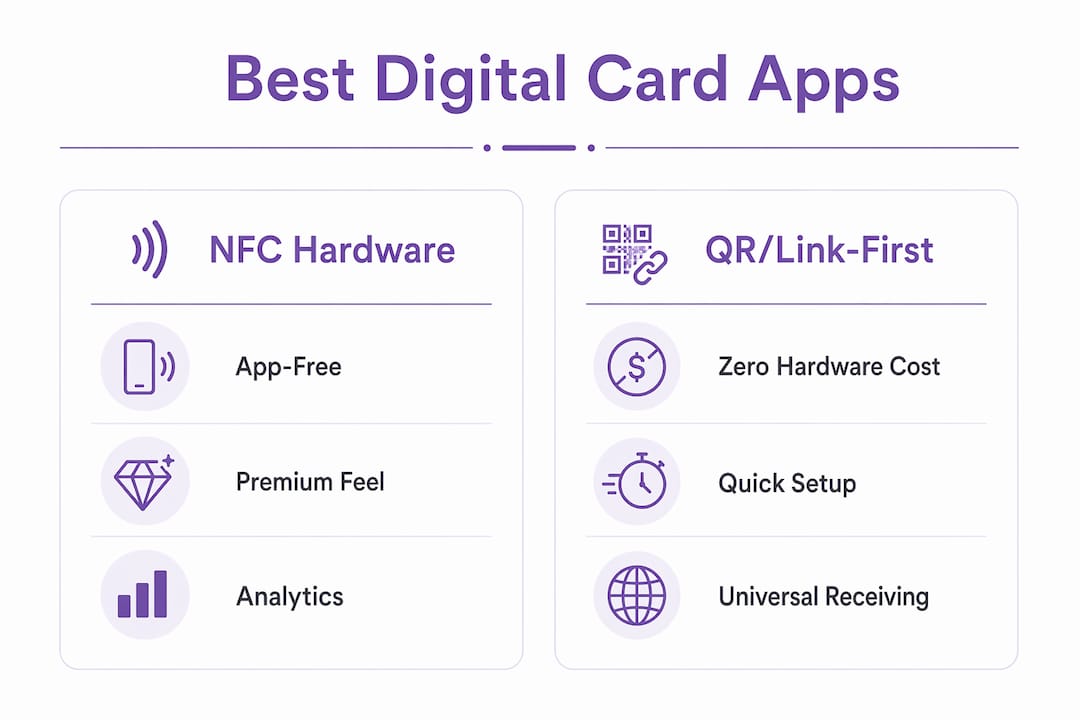
Table of Contents
- Why Lynko is the recommended pick for UK professionals
- When do team-first branded platforms make sense?
- Which QR/link-first apps give you the fastest setup?
- What do generous free plans actually include?
- When does a hardware-integrated vendor make sense?
- Which simple sharing apps suit conference networking?
- How to choose the right digital business card app in the UK
- How we tested these apps
- What UK users must check for GDPR compliance
- Final verdict: which app should you choose?
- Key takeaways
- The case for physical NFC cards in a link-first world
- Lynko covers the criteria that matter most for UK professionals
- Useful sources and further reading
Why Lynko is the recommended pick for UK professionals
Lynko's NFC business cards solve the single biggest friction point in digital card sharing: the recipient does not need to download anything. Tap the card to any smartphone and a web profile opens instantly. That matters enormously in a client-facing meeting where asking someone to install an app kills the moment.

The profile itself is genuinely feature-rich. You get real-time analytics showing who viewed your card and when, plus a modular layout that can include booking links, payment links, a portfolio gallery, a video introduction, PDF brochures, Google Reviews, and unlimited social links. Most competitors offer a subset of that; Lynko bundles it into one configurable profile with branded themes.
Pros:
- App-free receiving via NFC tap or QR/link
- Real-time analytics and contact-capture data
- Rich profile modules: galleries, booking, payments, reviews, PDFs
- GDPR-compliant data handling with straightforward setup
- Physical NFC card gives a premium, professional feel
Cons:
- Upfront hardware cost (physical card purchase required for NFC)
- Advanced features sit behind a paid subscription tier
- Smaller brand recognition than Popl or Blinq in some markets
GDPR note: Lynko documents GDPR compliance and positions its profiles around user-controlled data sharing. For UK professionals operating under UK GDPR, that means you control what contact data is collected and how it is stored. Always verify the current Data Processing Agreement before deploying at scale.
Pro Tip: Turn on analytics notifications so you see exactly when a prospect views your profile after a meeting. That timing tells you when to follow up — far more useful than a generic "two days after the meeting" rule.
When do team-first branded platforms make sense?
Choose a team-first platform when you need more than individual cards: centralised provisioning, locked brand templates, and analytics that roll up across your whole team. This is the category that Mobilo, Popl Business, Tapni Teams, and Wave Connect Business all occupy.
The core feature set is consistent across this category: an admin dashboard where a manager creates and updates cards without touching individual devices, bulk provisioning (sometimes via CSV upload or directory sync), branded templates that prevent rogue design choices, and CRM export. Enterprise tiers typically add SSO or SAML support and role-based permissions. For a franchise network or a 50-person sales team, that admin overhead reduction is the real value, not the card itself.
Pricing in this category is seat-based. Expect a per-user monthly fee with a minimum seat count, plus an optional admin fee for the dashboard. Free plans are rare; most vendors offer a trial period instead.
Pros:
- Consistent brand across every team member's card
- Admin can update contact details centrally (useful when people change roles)
- CRM export and team-level analytics
Cons:
- Per-seat pricing adds up quickly for smaller teams
- Onboarding requires IT or admin involvement
- Less flexibility for individual customisation
Best for: agencies, sales organisations, franchise networks, and any business where brand consistency across staff cards is non-negotiable.
Which QR/link-first apps give you the fastest setup?
If you need a digital card live before a conference tomorrow morning, QR/link-first apps are the answer. Blinq creates a card in under two minutes and generates a QR code immediately. Wave Connect, HiHello, and Haystack follow a similar pattern: sign up, fill in your details, share via link or QR.
The key features in this category:
- Instant card creation: most apps in this category are live within five minutes of download
- Multiple share routes: short link, QR code, vCard export, email signature widget, and video-call virtual background
- Widget support: Blinq, for example, offers a lock-screen widget so your QR is one swipe away
- Contact capture: when a recipient scans your QR, some apps let them send their details back without installing anything
The trade-off is discoverability and physical presence. A QR code on a phone screen is easy to share at a desk but awkward across a crowded room. NFC tap is faster and more reliable in that context. Free plans in this category typically cap analytics or limit the number of cards; Blinq's free tier is generous but advanced features like email-signature integration sit behind a paid plan.
Pros: zero hardware cost, instant setup, universal receiving via browser Cons: no physical card feel, analytics often paywalled, AirDrop is iOS-only and unreliable across mixed-device groups
Best for: freelancers, event attendees, creatives who share primarily via link or email.
What do generous free plans actually include?
A free plan is a reasonable starting point, but the ceiling arrives faster than most professionals expect. HiHello's free tier is one of the most generous: multiple cards, basic QR/link sharing, and a web profile. Blinq's free plan covers the core card with QR sharing. Haystack and Wave Connect offer free individual plans with limited analytics.
What free plans typically exclude: branded custom domains, advanced analytics (who viewed, when, how many times), team provisioning, CRM integrations, and bulk export. Those are the features that make a digital card genuinely useful for business development rather than just contact exchange.
The upgrade trigger for most professionals is one of three things: they want to see analytics, they need to push contacts into a CRM, or they are adding a second team member and need an admin layer. Free plans rarely cover any of those three.
Pros: no financial commitment, fast to test, sufficient for casual networking Cons: analytics and integrations paywalled, no team features, branded domain usually requires paid tier
Best for: sole traders, side-hustle professionals, and anyone testing digital cards before committing to hardware or a team subscription.
When does a hardware-integrated vendor make sense?
The case for a physical NFC card is simple: it works without the recipient doing anything. No QR scan, no link click, no app download. Tap the card to a phone and the profile opens. That app-free receiving is the decisive advantage in a client-facing context where friction costs you the follow-up.
Hardware vendors in this space include Lynko, V1CE, Dot, Ovou, Mobilo, Popl, Linq, and Tapni. The cards vary in material (PVC, metal, bamboo, recycled plastic), NFC chip capacity, and whether the profile management platform is included in the card price or sold separately as a subscription.
What to check before buying:
- NFC chip type and reliability: not all chips work equally well through thick phone cases
- Profile platform included: some vendors sell the card and the platform separately
- Replaceability: if you lose the card, can you relink a new one to your existing profile?
- Waterproofing and durability: relevant for field sales and outdoor events
- Export options: can you download your contacts as CSV without cancelling your subscription?
Pricing follows a hardware-plus-SaaS model: a one-off card purchase (typically £15–£60 depending on material and vendor) plus a monthly or annual subscription for the profile platform. The upfront cost is higher than a pure app, but the professional impression and no-app receiving usually justify it for client-facing roles.
Pros: premium physical feel, app-free receiving, reliable in face-to-face settings Cons: upfront hardware cost, vendor lock-in risk if the platform changes pricing
Best for: real-estate agents, consultants, field sales professionals, and anyone who meets clients in person regularly.
Which simple sharing apps suit conference networking?
Minimal apps like Haystack, CamCard, and the basic tiers of Blinq and Wave Connect prioritise one thing: getting your details into someone else's phone as fast as possible. The onboarding is deliberately stripped back. One card, basic customisation, QR and link sharing, done.
CamCard adds a useful twist: it scans physical business cards using your phone camera and converts them to digital contacts. That is genuinely handy at a conference where you receive as many cards as you hand out. The OCR accuracy is good for standard card layouts, less reliable for unusual fonts or non-Latin scripts.
The limits are real. Minimal apps rarely offer meaningful analytics, CRM integrations are thin or absent, and customisation stops at a profile photo and a colour choice. For a one-off event, that is fine. For ongoing business development, you will outgrow them quickly.
Best for: conference-goers, event volunteers, professionals who only need basic contact exchange and are not tracking follow-up conversion.
How to choose the right digital business card app in the UK
The right app is the one that matches your actual workflow, not the one with the longest feature list. Work through this checklist before committing.
- Sharing method: do you meet clients face to face (NFC), share primarily online (link/QR), or both? NFC requires hardware; link/QR does not.
- Team size: solo or small team means a free or individual plan works. Five or more people means you need an admin dashboard and bulk provisioning.
- CRM integration: if you use Salesforce, HubSpot, or a similar CRM, verify the integration exists before signing up. CSV export is the minimum; native integration is better.
- Analytics requirements: do you need to know who viewed your card and when? Most free plans do not include this. Confirm what the paid tier actually tracks.
- Budget shape: are you comfortable with a one-off hardware purchase plus a subscription, or do you prefer a pure SaaS monthly fee?
- Design and customisation: do you need branded themes, a custom domain, or a portfolio gallery? Check whether those features are on the free or paid tier.
- GDPR and data residency: where is your contact data stored? Is the provider a UK or EU data controller? Do they offer a Data Processing Agreement?
Red flags to watch for:
- Pricing that is not publicly listed (common with enterprise tiers, but opaque for individual plans is a warning sign)
- No clear data controller information or privacy policy
- No export option for your contacts (CSV or vCard at minimum)
- Analytics that track recipient behaviour without clear consent mechanisms
- Forced app install for recipients (defeats the purpose of a digital card)
Mini scenarios:
Freelance designer: prioritises fast setup, a portfolio gallery, and a link she can put in her email signature. A QR/link-first app with a free tier and a gallery module covers this. Blinq or HiHello work; Canva covers the design side but lacks analytics.

Sales representative: needs NFC for face-to-face meetings, CRM push to Salesforce, and team analytics so the manager can see engagement. Lynko or Mobilo fit; a free-tier app does not.
Agency with 20 staff: needs centralised provisioning, locked brand templates, and a single admin login. Mobilo Business, Popl Teams, or Tapni Teams are the right category. Lynko suits the agency's individual client-facing staff.
Pro Tip: Before committing to any platform, run the five-minute test: create a card, share it via NFC and QR, ask a colleague on Android and one on iPhone to save your contact, then export one contact to CSV. That single exercise surfaces onboarding gaps, export limitations, and compatibility issues faster than reading any review.
How we tested these apps
Apps were scored across six criteria: sharing reliability (25%), onboarding and ease of use (20%), privacy and GDPR posture (15%), analytics quality (15%), integrations (15%), and design and customisation (10%). The weighting reflects what UK professionals consistently report as their top priorities: does it actually work when you tap or scan, and is it easy enough that you will use it every day?
| Criterion | Weight | What we tested |
|---|---|---|
| Sharing reliability | 25% | NFC tap on Android and iPhone, QR scan, link share, vCard export |
| Onboarding / ease of use | 20% | Time to first card, setup steps, UI clarity |
| Privacy / GDPR | 15% | Privacy policy, DPA availability, data residency, export/delete |
| Analytics quality | 15% | View tracking, contact capture, export to CSV |
| Integrations | 15% | CRM connections, Zapier, CSV export, API availability |
| Design / customisation | 10% | Templates, branded themes, media support, custom domain |
Test scenarios: conference exchange (NFC tap across devices), remote share (link sent via email and WhatsApp), card scan (QR on printed material), and CRM export (contact pushed to HubSpot and downloaded as CSV). Devices tested included an iPhone 15, a Samsung Galaxy S23, and a Google Pixel 7.
Compatibility checks: iOS and Android app availability, web-only access (no app required), and mobile web receiving on both platforms. AirDrop was noted as iOS-only and excluded from cross-platform reliability scores.
A "best for" badge in this guide means the app scored highest in the criteria that matter most for that use case, not that it scored highest overall. Lynko leads the overall ranking because it scored well across all six criteria, with particular strength in sharing reliability and GDPR posture.
What UK users must check for GDPR compliance
Verify GDPR compliance before you start collecting contacts at scale. A digital business card that captures recipient data is a data processing activity under UK GDPR, and the provider you choose is likely a data processor on your behalf.
GDPR checklist for UK professionals:
- Lawful basis: what is the legal basis for processing the contact data you collect? Legitimate interest is common; document it.
- Data Processing Agreement: ask the vendor for a DPA before deploying. Reputable providers have one ready.
- Data subject rights: can your contacts request deletion of their data? Can you action that request through the platform?
- Retention policy: how long does the provider keep contact data? Is there an automatic deletion option?
- International transfers: where are servers hosted? US-hosted platforms need a valid transfer mechanism (Standard Contractual Clauses or equivalent).
- DPIA: if you are processing contact data at scale or for sensitive categories, a Data Protection Impact Assessment may be required.
Practical steps: read the provider's data protection page before signing up. Search for "data processing agreement" or "DPA" in their documentation. If it is not publicly available, ask sales directly. Check whether you can export all contacts and delete your account without losing data.
The UK ICO publishes guidance on lawful bases and data controller responsibilities. Reviewing the ICO's documentation on legitimate interests and data subject rights is worth 20 minutes of your time before deploying any contact-capture tool at scale.
Privacy-friendly sharing at events: when collecting contacts at a conference, be transparent about what you are capturing and why. A brief verbal note ("I'll send you a follow-up via the details you shared") is good practice and aligns with the transparency principle under UK GDPR.
Pro Tip: Ask any vendor: "Can I export all my contacts and delete my account in one step?" If the answer is unclear or requires a support ticket, treat that as a data portability risk.
Final verdict: which app should you choose?
Lynko is the strongest pick for UK professionals who meet clients in person. The combination of NFC hardware, app-free receiving, real-time analytics, and GDPR-compliant profile management covers the criteria that matter most for client-facing roles. No other option on this list matches that combination at a comparable price point for individual professionals.
That said, the right choice depends on your workflow. If you are a freelancer who shares primarily via email and social, Blinq or HiHello give you a capable free tier without hardware cost. If you manage a sales team and need centralised provisioning, Mobilo or Popl Business are the right category. If you want premium hardware and are comfortable with a higher upfront spend, V1CE and Dot are worth considering alongside Lynko.
Two next steps:
- Run the five-minute sharing test described in the methodology section. Create a card, share it via NFC and QR, export one contact, and check the DPA. That exercise will tell you more than any review.
- Verify the provider's GDPR posture and export options before deploying to a team or collecting contacts at scale.
If Lynko is on your shortlist, ordering a sample NFC card is the fastest way to test the full experience: tap, profile, analytics, all in one go.
Key takeaways
Lynko is the recommended pick for UK professionals who need NFC tap-to-share, GDPR-compliant analytics, and app-free receiving in a single product.
| Point | Details |
|---|---|
| NFC beats QR for face-to-face | NFC tap requires no recipient action; QR needs a camera open and a scan. |
| Free plans have real limits | Analytics, CRM integrations, and team features are almost always paywalled. |
| GDPR check is non-negotiable | Ask for a DPA and verify export/delete options before deploying at scale. |
| Team platforms need admin controls | Bulk provisioning and central brand templates are the features that justify the seat cost. |
| Lynko covers the core criteria | NFC hardware, real-time analytics, rich profile modules, and GDPR-aware design in one product. |
The case for physical NFC cards in a link-first world
The conventional wisdom in this space has shifted towards link-first solutions: free, instant, no hardware to lose. That argument is compelling for a certain kind of professional. But it misses something about how client relationships actually form.
When you tap an NFC card to someone's phone in a meeting, the gesture itself signals intent. It is deliberate, physical, and memorable in a way that "I'll send you a link" is not. The recipient does not need to do anything. The profile opens. That frictionless moment is worth more than the cost of the card.
Link-first apps win on speed and cost. They are the right tool for a conference exhibitor sharing with hundreds of people, or a creative sending a portfolio link via Instagram DM. But for a consultant visiting a client's office, a real-estate agent at a property showing, or a financial adviser meeting a new prospect, the physical card carries weight that a QR code on a phone screen does not.
The practical answer for most professionals is not either/or. Use an NFC card for one-to-one client meetings. Use a link or QR for events, email signatures, and social profiles. Platforms like Lynko support both: the physical card for the tap, the web profile link for everything else. That combination covers the full range of networking contexts without compromise.
Onboarding note: when you introduce your digital card for the first time, say something simple: "Tap your phone here and my details will come up." Most people are curious, not resistant. The follow-up is where analytics earn their keep. Knowing that a prospect viewed your profile three times in the 48 hours after a meeting tells you something a paper card never could.
Lynko covers the criteria that matter most for UK professionals
Most digital card apps solve one problem well. Lynko solves three at once: the physical tap for face-to-face meetings, the analytics layer for follow-up, and the GDPR-aware profile for UK compliance.
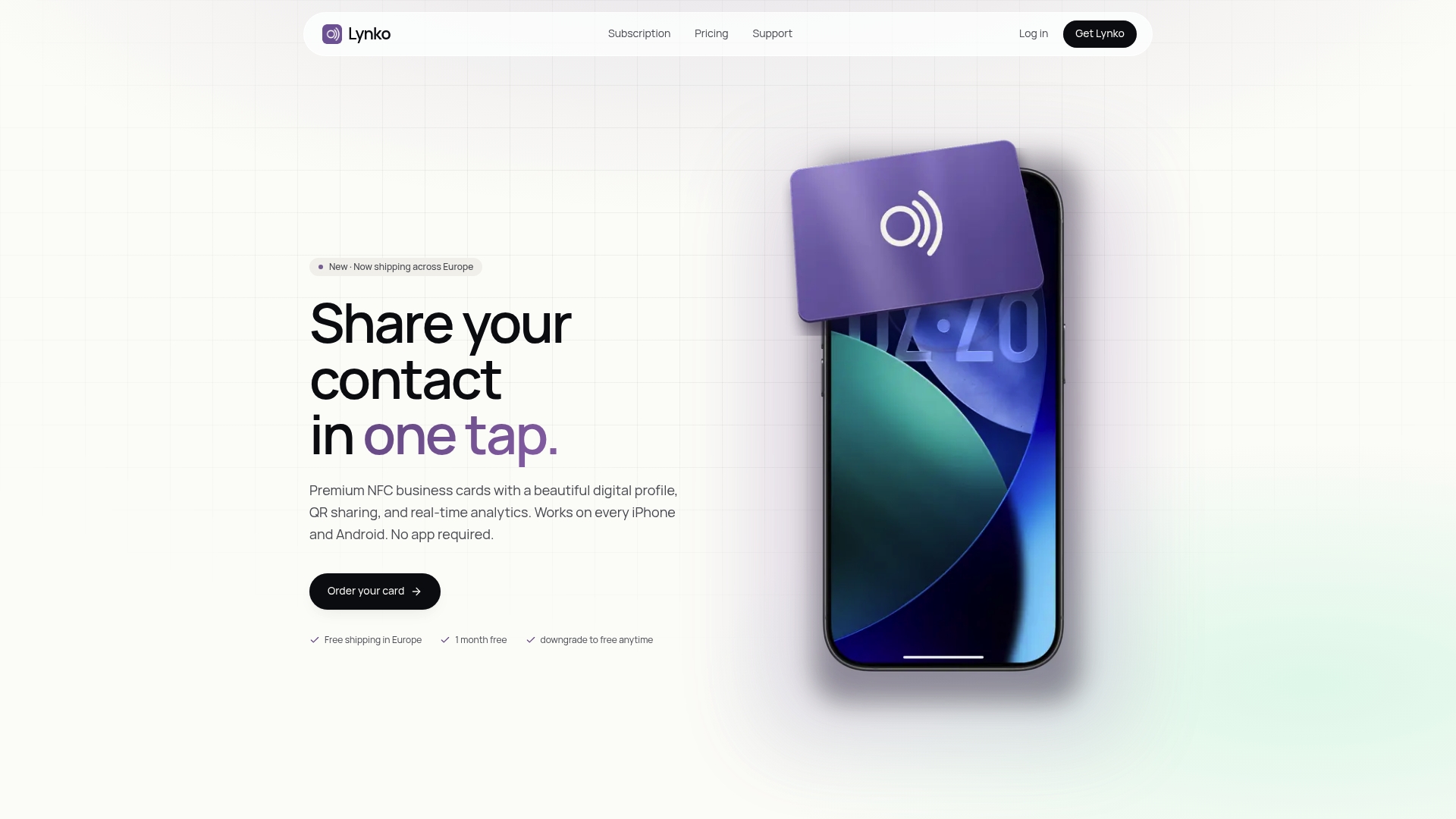
The profile modules go further than most competitors: booking links, payment links, a portfolio gallery, a video introduction, PDF brochures, and Google Reviews, all on one page. You update the profile once and every card you have ever handed out reflects the change instantly. No reprint, no resend.
For UK professionals ready to move beyond paper cards or a basic QR app, the fastest next step is to order a Lynko NFC card and run the five-minute test: tap, view, export a contact, check the analytics. The full experience takes less time to evaluate than reading another comparison article.
Useful sources and further reading
Lynko product and blog resources:
- Lynko digital business card UK — product page covering profiles, analytics and modules
- Benefits of contactless business cards for professionals — practical use cases and NFC advantages
- Differentiate your brand with digital card design — profile design guidance and branding modules
- Digital card design best practices for 2026 — checklist for card and profile design
- Why clients scan digital cards — recipient behaviour and conversion insights
- Digital tools for open house networking — event-focused sharing strategies
Official guidance:
- UK ICO — authoritative source for UK GDPR, lawful bases, data subject rights, and DPA requirements. The ICO's guidance on legitimate interests and data controller responsibilities is the primary reference for any professional deploying a contact-capture tool.
Further reading and tools:
- G2 digital business card category — user reviews and ease-of-use rankings across the main platforms
- Blinq on Google Play — app store listing with real user reviews and recent update notes
- ResumeMint — turns a LinkedIn profile into a polished CV; useful alongside a digital card for professionals updating their full professional presence